CS2 September 2026 update: new pixel-based crosshair and why it changes aim training
What changed in CS2
Valve has released another Counter-Strike 2 update, and at first glance it looks like an ordinary technical patch: 537 megabytes, a list of tweaks to the Rush mode, a bunch of reload animation fixes. But if you take a closer look at the crosshair section, it becomes clear — this is one of the most significant interface changes in recent times, and specifically for those who take CS2 seriously rather than just play for fun.
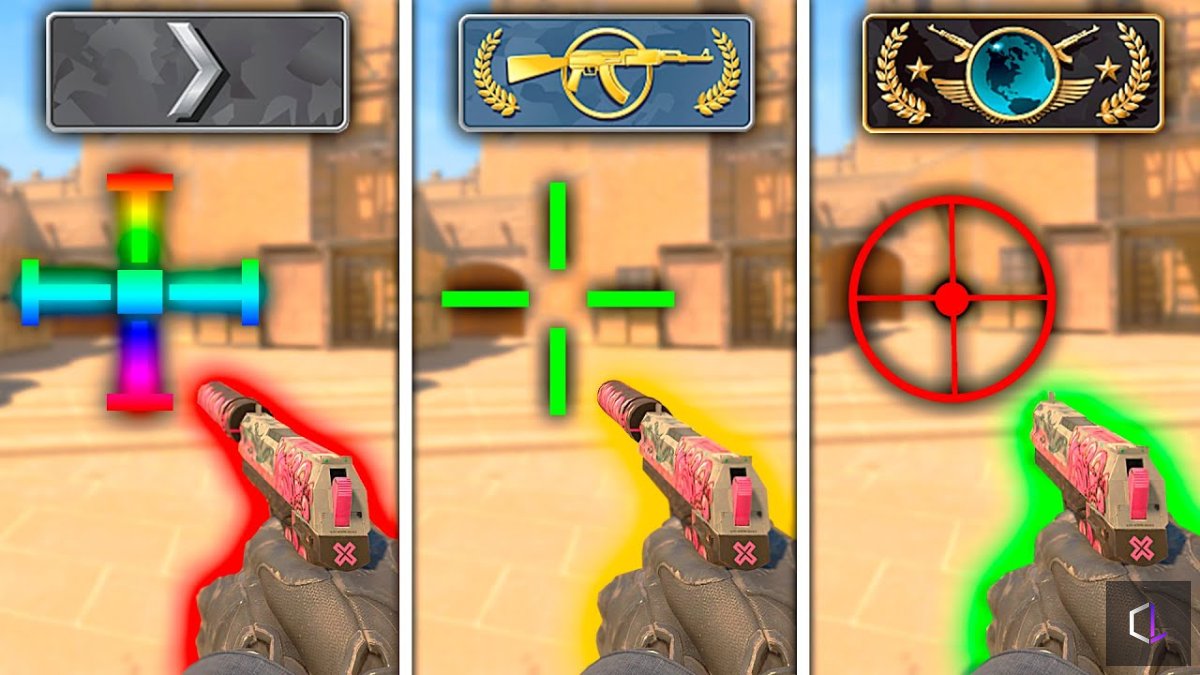
The crosshair is now measured in pixels, not "by eye"
Previously, the thickness and length of the crosshair lines were set using abstract numbers that were recalculated into pixels differently depending on screen resolution. A player with 1280×720 and a player with 2560×1440 with identical numbers in the settings ended up with a visually different crosshair. This created confusion, especially when a player changed their monitor or resolution and couldn't understand why their usual crosshair suddenly "shifted."
Now everything is calculated directly in pixels, and the system automatically scales the crosshair when the resolution changes, preserving proportions. New options were also added: a static square style, half-outlines (rendering only the upper left part of the outline), and a reduction of the minimum dynamic spread distance to 64 pixels — this allows for a more realistic view of how inaccurate the weapon becomes while moving or firing in bursts.
For a beginner, this sounds like a minor detail. For a player who trains their shooting systematically, this is fundamental: now the crosshair actually shows the weapon's physics rather than a conditional visualization.
Why this matters specifically for those learning to play
One of the common mistakes beginner esports players make is copying the crosshair settings of their favorite pro without even knowing what screen resolution that pro plays on. With the new system, this problem is partially resolved: proportions are preserved automatically. But at the same time, the player's own responsibility increases — they need to understand what "dynamic spread" means and why the crosshair grows precisely when the weapon becomes less accurate.
This is a case where a game update effectively becomes an occasion to explain to a teenager the physics of shooting in CS2: spread, inaccuracy while moving, the difference between stationary shooting and shooting while running. A player who understands what the crosshair is actually showing them, rather than simply "getting used to" the picture, progresses faster and hits a skill ceiling less often.
What about the Rush mode
The changes to Rush look less noticeable, but are equally logical: the countdown time after elimination was increased from 7 to 14 seconds in final rounds and on the "Convoy" map, and the countdown no longer starts if the entire team dies due to a team kill, suicide, or disconnect. The developers are clearly removing situations where a round ended unfairly quickly or was counted incorrectly — a small but useful fix for the competitive fairness of the mode.
What to do about all this right now
If you or your child haven't checked the crosshair settings in a while — now is the time to do it. Old configs may have displayed differently than originally intended, and the new system makes it possible to fine-tune the crosshair much more precisely for a specific monitor and resolution.
Interface updates rarely make it into tournament news headlines, but they are exactly what forms the foundation on which the game's mechanics are built. Understanding how the crosshair and spread work isn't about luck — it's about conscious shooting, and it's these kinds of details that ultimately distinguish a confident player from one who just clicks the mouse button.